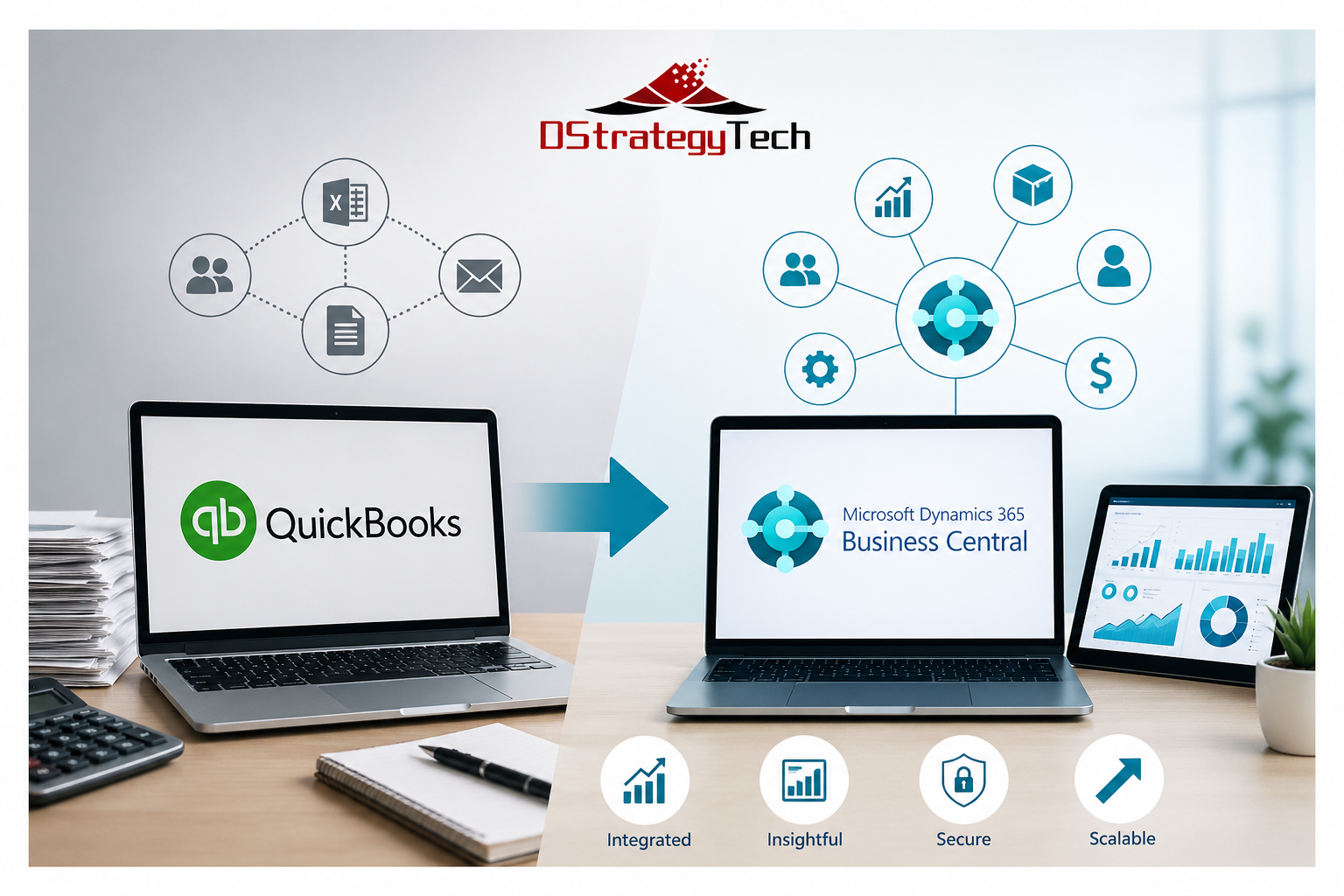
For many small and mid-sized businesses, QuickBooks is where financial management begins. It is simple, familiar, and effective in the early stages of growth. Teams can manage invoices, track expenses, and close books without much complexity.
As the business grows, however, the same simplicity can start to create limitations. More processes are introduced, more data needs to be managed, and more people depend on accurate and timely information. At this stage, many organizations begin to look beyond QuickBooks.
Where QuickBooks Starts to Fall Short
QuickBooks is designed primarily for accounting. As operations expand, new requirements begin to surface. Businesses start managing multiple entities, handling inventory, tracking projects, and introducing approval processes.
To support these needs, teams often rely on spreadsheets and disconnected tools. Data moves between systems instead of staying in one place, which creates delays and inconsistencies.
Over time, this leads to limited visibility, slower reporting cycles, and increased dependency on Excel. The system continues to function, but it no longer supports how the business operates.
A More Connected Foundation with Business Central
Microsoft Dynamics 365 Business Central
brings financials and operations together into a single platform. Instead of extending QuickBooks with multiple tools, Business Central connects sales, purchasing, inventory, and finance through a unified data model.
For organizations evaluating the transition, Microsoft provides detailed guidance on moving from QuickBooks to Business Central, including data structure, setup, and considerations.
View Microsoft guidance on QuickBooks to Business Central
.
This creates a more structured environment where processes are standardized and workflows are built into the system. As a result, businesses reduce manual reconciliation and improve consistency across departments.
Key Capabilities of Business Central
Business Central supports financial management across multiple entities, integrates operational workflows, and provides built-in controls for approvals and compliance. This allows organizations to align their system with how they actually operate.
Improving Reporting and Visibility with Power BI
Even after implementing a new system, many organizations still rely on spreadsheets for reporting. This is where
Microsoft Power BI becomes important.
Power BI enables centralized dashboards and real-time reporting. Instead of waiting for reports to be prepared, teams can monitor financial and operational performance as it happens.
Benefits of Power BI Integration
With Power BI, organizations gain consistent metrics, improved visibility across functions, and faster access to insights. This supports better decision-making across leadership and operational teams.
Preparing for AI Requires Structured Data
As businesses begin adopting automation and AI, data quality becomes critical. AI tools rely on structured and consistent data to deliver meaningful results.
Business Central provides a foundation for this by organizing data and standardizing processes. This enables practical use cases such as forecasting, automation, and intelligent recommendations.
Security and Control in a Connected System
As systems become more integrated, security becomes a core requirement. Business Central operates within the Microsoft ecosystem and works with tools such as
Microsoft Entra and
Microsoft Defender.
This provides identity-based access control, role-based permissions, and data protection. Organizations gain better control over who can access information and how data is used across the system.
What Going Beyond QuickBooks Really Means
Going beyond QuickBooks is not simply about changing systems. It reflects a shift in business needs.
Common indicators include heavy reliance on Excel, fragmented data across systems, slow month-end processes, and limited visibility across teams. At this stage, continuing with workarounds becomes less effective than adopting an integrated platform.
About DStrategyTech
DStrategyTech
is a Microsoft partner focused on Business Central, data, and automation. The approach centers on helping organizations improve visibility, streamline operations, and build a scalable foundation using Microsoft technologies.
Final Thoughts
QuickBooks continues to serve an important role for early-stage businesses. However, as operations grow, the need expands beyond accounting.
Business Central provides a more structured and scalable foundation for managing operations, improving visibility, and supporting future capabilities such as automation and AI.
Going beyond QuickBooks is not a technical upgrade. It is a step toward running the business with greater clarity, consistency, and control.
Learn More
If your organization is experiencing these challenges, it may be time to evaluate the next step.
Contact DStrategyTech
to explore how Business Central, Power BI, and automation can support your business.
Most SMBs running Microsoft Dynamics 365 Business Central encounter the same recurring support issues. These problems slow operations, frustrate users, and drive up support costs.
Here’s what typically goes wrong — and how to address it before it disrupts your business.
Most of these issues require ongoing monitoring and resolution. Learn more about our
Business Central support services
and how we help prevent recurring system problems.
1. Slow System Performance
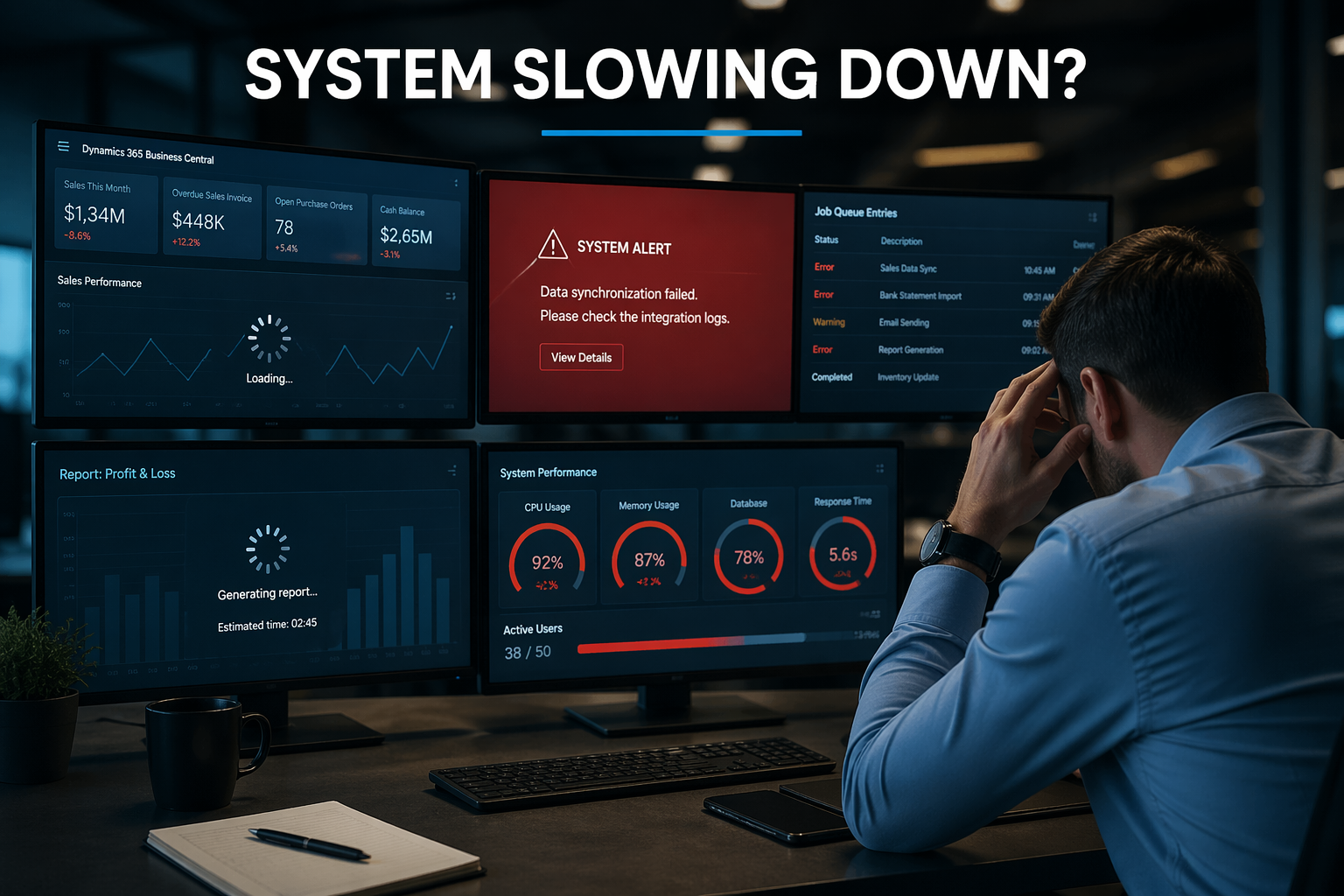
Performance degradation is the most common Business Central support issue. Users report slow page loads, reports that take minutes to generate, and system freezes during peak usage.
Common Causes
Database bloat: Years of unarchived transactions slow queries
Archive historical data, optimize custom code, and consider moving to cloud infrastructure.
2. Integration Failures
Business Central integrations frequently break or stop syncing data.
Resolution
Implement monitoring, alerts, and regular testing after updates.
3. User Permission Issues
Users either lack access or have excessive permissions.
Resolution
Conduct audits, standardize roles, and automate deprovisioning.
Many of these challenges require continuous monitoring and proactive management.
This is where structured
Business Central support services
make a significant difference.
4. Report Generation Problems
Reports fail, return incorrect data, or run slowly.
5. Month-End Close Delays
Close processes take longer or fail due to manual workflows and validation gaps.
6. Data Import Errors
Imports fail due to format mismatches or missing required fields.
7. Customization Update Conflicts
Updates break custom extensions or introduce errors.
8. Mobile App Gaps
Mobile functionality differs from web experience.
9. Email Failures
Invoices and documents fail to send due to configuration issues.
10. Training Gaps
Users rely on support for tasks they should handle independently.
Proactive Support Approach
Monthly health checks
Sandbox testing
Documentation
User training
Monitoring and alerts
When to Escalate to Partner Support
Persistent performance issues
Integration failures
Custom code problems
Security concerns
Bottom Line
Most Business Central issues come from lack of proactive maintenance, poor training, and weak monitoring.
Need help reducing Business Central support issues?
DStrategyTech provides structured, ongoing support focused on performance, reliability, and continuous improvement.
Microsoft Dynamics 365 Business Central is more than just an ERP system—it serves as the financial and operational backbone of your business. This centralized platform manages your most critical business functions: financial transactions, vendor payments, customer data, and inventory and operational processes.
Because of this centralization, security cannot be treated as optional. It is foundational to protecting your business operations and maintaining data integrity.
This guide provides practical, actionable steps that small and medium-sized businesses (SMBs) should take to secure Business Central effectively, without unnecessary complexity or over-engineering.
Why Security Matters in Business Central
The majority of security issues in Business Central do not originate from sophisticated external hackers. Instead, they stem from internal vulnerabilities and operational weaknesses.
Common sources of security risk include:
Excessive user access – Users granted more permissions than necessary for their roles
Weak identity controls – Inadequate authentication and authorization mechanisms
Manual processes outside the system – Critical workflows conducted via email or spreadsheets
Lack of monitoring – No visibility into user activity or system changes
The consequences extend beyond data breaches. Security failures can result in incorrect financial data, unauthorized transactions, and significant financial exposure that impacts business operations and regulatory compliance.
Core Principle
Security in Business Central follows an identity-first approach. Everything begins with three fundamental questions:
Who can access the system?
What they can see within the system?
What they can do once they have access?
Answering these questions correctly forms the foundation of a secure Business Central environment.
1. Identity and Access Management (Microsoft Entra ID)
Business Central relies on Microsoft Entra ID (formerly Azure AD) for identity and access management. This integration means your identity security directly determines your overall system security.
Best Practices:
Enforce Multi-Factor Authentication (MFA) for all users without exception
Implement Conditional Access policies to add context-aware security layers:
Block sign-ins from risky locations or unrecognized devices
Restrict access based on geographic location
Require additional verification for sensitive operations
Disable legacy authentication protocols that bypass modern security controls
Bottom line: If your identity layer is weak, every other security measure becomes ineffective. Strong identity management is non-negotiable.
2. Role-Based Access Control (RBAC)
Avoid the temptation to grant broad access permissions simply to expedite user setup or resolve access issues quickly. This creates long-term security vulnerabilities.
Best Practices:
Assign users to predefined roles rather than granting permissions directly
Apply the principle of least privilege:
Finance users receive access only to financial modules
Operations users access only operational data
Sales teams see customer and order information exclusively
Conduct regular permission reviews to identify and remove unnecessary access
Document role definitions to maintain consistency across the organization
Example Role Structure:
Role
Access Granted
Accountant
General Ledger, Accounts Payable, Accounts Receivable
Sales Representative
Customer records, Sales Orders
Warehouse Manager
Inventory and Warehouse operations only
Critical mistake to avoid: Never give users “SUPER” access unless absolutely required for system administration. This role bypasses all security controls.
3. Segregation of Duties (SoD)
One of the most significant financial risks occurs when a single user controls an entire business process from beginning to end. This creates opportunities for fraud and errors that go undetected.
Example of problematic access:
A single user who can:
Create new vendors in the system
Enter invoices for those vendors
Approve payments to those vendors
This consolidation of duties creates an environment where fraudulent transactions can occur without detection.
Best Practices:
Separate critical tasks across different users:
Vendor creation should be separate from payment approval
Invoice entry should be separate from payment processing
Financial reporting should be independent from transaction entry
Implement approval workflows for all financial transactions
Document separation policies clearly and communicate them to all stakeholders
This approach is not just about security—it is essential for audit readiness and regulatory compliance.
4. Approval Workflows
Business Central includes native approval workflow capabilities that provide built-in oversight for critical business processes.
Best Practices:
Require approvals for high-risk operations:
New vendor creation or changes to existing vendor records
All payment transactions
Purchase orders exceeding defined dollar thresholds
Implement multi-level approval hierarchies for high-value transactions
Configure automatic notifications to ensure approvals are not delayed
Set clear escalation procedures for overdue approvals
Outcome: These workflows ensure that no critical financial action happens without appropriate oversight and documented approval trails.
5. Data Protection and Environment Security
Business Central operates in Microsoft’s Azure cloud infrastructure, which provides enterprise-grade security. However, you still need to configure and manage security appropriately.
Best Practices:
Leverage Microsoft-managed cloud security features provided by Azure
Ensure comprehensive data encryption:
Data at rest (stored data)
Data in transit (data moving between systems)
Restrict access to different environments:
Maintain strict separation between Production and Sandbox environments
Limit production access to authorized personnel only
Use sandbox environments for testing and training
Additional Controls:
Limit which users can export large volumes of data
Monitor and alert on unusual data download patterns
Implement data loss prevention policies where appropriate
6. Audit Trails and Logging
When security incidents or data discrepancies occur, you need clear visibility into what happened, when it happened, and who was responsible.
Best Practices:
Enable the Change Log feature in Business Central:
Track all changes to critical fields (vendors, customers, general ledger accounts)
Record who made each change and when
Capture both the old and new values
Monitor user activity patterns for unusual behavior
Retain audit logs according to your regulatory requirements and internal policies
Review logs regularly, not just when problems occur
Fundamental principle: If you cannot trace an action back to a specific user and time, you cannot trust the integrity of that data.
7. Backup and Recovery Strategy
While Microsoft provides platform-level backups for Business Central as part of the cloud service, organizations still need a comprehensive recovery strategy.
Best Practices:
Understand Microsoft’s backup policies:
Backup frequency (typically daily)
Retention periods for different backup types
Your responsibilities versus Microsoft’s
Test restore scenarios periodically to verify backups work as expected
Define a documented recovery plan that includes:
Clear assignment of responsibilities (who does what)
Recovery Time Objectives (RTO) – how fast systems must be restored
Recovery Point Objectives (RPO) – acceptable data loss timeframes
Communication protocols during recovery operations
Regular testing is essential. An untested backup is just a hope, not a plan.
8. Integration and API Security
Business Central rarely operates in isolation. It typically connects with other business systems to share data and streamline processes.
Common integrations include:
Microsoft Power Platform (Power Apps, Power Automate)
CRM systems (Dynamics 365 Sales, Salesforce)
E-commerce platforms
Banking and payment systems
Third-party applications
Best Practices:
Use secure, authenticated APIs exclusively for all integrations
Never hardcode credentials in integration code or configuration files
Apply least privilege to integration service accounts—grant only necessary permissions
Monitor data flows between systems for anomalies or unauthorized access
Document all integrations including data flows, security controls, and responsible parties
Remember: External integrations can become the weakest link in your security chain if not properly managed.
9. Power Platform and Automation Security
If your organization uses Power Automate flows or Power Apps connected to Business Central, these automation tools require their own security considerations.
Best Practices:
Control who can create flows and apps through governance policies
Use dedicated service accounts for automation rather than personal user accounts
Apply the principle of least privilege to service accounts
Avoid exposing sensitive data in flow outputs or app displays
Audit automation regularly:
Review all active flows and apps
Identify owners and business purposes
Disable or remove unused automation
Implement approval processes for deploying production automation
Uncontrolled automation can bypass business rules and create security vulnerabilities.
10. User Training and Awareness
The majority of security failures have human causes rather than technical ones. Technology can only protect your business when users understand and follow security best practices.
Best Practices:
Conduct regular security training covering:
Phishing awareness and how to identify suspicious emails
Proper data handling procedures
Appropriate system usage and prohibited activities
How to report security concerns
Reinforce critical behaviors:
“Do not bypass Business Central by conducting business through Excel files and email”
“Do not share your credentials with anyone, including IT support”
“Report suspicious activity immediately”
Make security part of onboarding for all new employees
Provide role-specific training that addresses the unique risks each role faces
Creating a security-conscious culture is as important as implementing technical controls.
11. Regular Security Reviews
Security is not a one-time project—it requires ongoing attention and adjustment as your business evolves.
Monthly/Quarterly Security Checks:
Review user access rights:
Remove access for departed employees immediately
Adjust permissions for employees who change roles
Identify and investigate accounts with excessive permissions
Remove inactive users who no longer need system access
Validate role assignments to ensure they still match current job responsibilities
Analyze audit logs for unusual patterns or suspicious activity
Review integration health and security settings
Test key security controls to verify they function as intended
Regular reviews catch security drift before it becomes a serious vulnerability.
12. Align with Microsoft Security Stack
Business Central becomes significantly more secure when integrated with Microsoft’s broader security ecosystem. These tools provide layered defense and enhanced visibility.
Recommended integrations:
Microsoft Defender – Provides advanced threat protection across endpoints and cloud services
Microsoft Sentinel – Delivers security information and event management (SIEM) with automated monitoring and alerts
Microsoft Purview – Enables data classification, compliance monitoring, and data governance
When these tools work together, they create a comprehensive security posture that is greater than the sum of its parts.
Common Mistakes to Avoid
1. Giving Everyone Full Access
Granting broad permissions may seem convenient in the short term and can reduce support requests, but it creates substantial long-term security risks and compliance issues.
2. Ignoring Multi-Factor Authentication
MFA is the single most effective security control you can implement. It prevents the vast majority of account compromise attacks. There is no excuse for not enabling it.
3. Operating Without Approval Processes
Lack of approval workflows leads directly to financial risk and creates audit findings during compliance reviews.
4. Overlooking Integration Security
External applications and APIs can become your weakest security link if not properly secured and monitored.
5. Treating Security as IT-Only
Security is a business responsibility that requires involvement from finance, operations, and leadership—not just the IT department.
Expected Outcomes
When these security best practices are properly implemented, organizations should expect to achieve:
Reduced risk of unauthorized transactions and fraudulent activity
Stronger financial controls that support business integrity
Audit-ready processes that simplify compliance reviews
Better visibility into system activity and user behavior
Greater confidence in data integrity and accuracy
Improved operational efficiency through clearly defined processes
Enhanced business resilience through proper backup and recovery capabilities
Final Perspective
Effective security in Business Central is not about locking down every function and making the system difficult to use. Instead, it is about establishing three critical elements:
Controlled access + Visibility + Accountability
When these three pillars are properly implemented, Business Central becomes not just secure—but reliable and trustworthy as the foundation of your business operations.
Security done right enables business agility rather than hindering it.
Next Step
If you want to assess your current Business Central security posture and identify areas for improvement:
Growth brings opportunity, but it also brings complexity. Many organizations reach a point where Business Central automation becomes essential to keep processes moving efficiently. What worked earlier starts to feel strained as teams rely more on coordination, manual steps, and disconnected workflows.
If you are already using Microsoft Dynamics 365 Business Central, you likely have a strong operational foundation. If you are evaluating your next system, you are trying to understand what will actually improve how your business runs day to day.
In both cases, the focus should not just be the system. It should be how your processes work.
What SMB Leaders Are Seeing in the Market
Across analyst insights and customer feedback, businesses that get real value from ERP are not just implementing software. They are improving how work flows across the organization.
Independent reviews highlight Business Central for usability and integration within the Microsoft ecosystem.
As operations expand, processes become more complex. What used to be simple now involves multiple steps, systems, and teams. That is where friction begins to show.
work depends on follow-ups to move forward
information exists across systems or formats
teams rely on individuals to connect the dots
reporting requires time to prepare and validate
These are not failures. They are signals that processes need to evolve.
Why Integration Becomes Essential
Integration connects how work moves across the business. Without it, processes pause between systems. With it, they continue without interruption.
data entered once is available where it is needed
updates are visible across teams without extra effort
dependencies are handled within workflows
processes move forward without manual handoffs
Automation That Works in Practice
Automation should simplify work, not complicate it. The most effective automation focuses on everyday activities that consume time but add little value.
routine steps happen automatically after key events
notifications are triggered based on real conditions
recurring tasks run without reminders
exceptions are identified early
Why CFOs and Business Owners Are Paying Attention
Finance leaders today are expected to guide the business with timely insight and agility, not just manage numbers.
DStrategyTech is a Michigan-based Microsoft Partner helping small and mid-sized businesses integrate and automate their processes using Microsoft technologies, making operations more efficient, structured, and scalable.
Most businesses do not need more tools. They need their processes to work better with the tools they already have.
Manufacturing teams using Microsoft Dynamics 365 Business Central have access to production and cost data, but many still struggle to turn it into reliable financial insight.
The issue is not data availability. It is how that data is validated and applied during operations.
1. Cost Variances Are Identified Too Late
In many environments, production cost differences are only reviewed after completion.
expected vs actual costs are not monitored during production
material and labor variances are identified late
This delays corrective action and directly impacts financial accuracy.
2. Capacity and Production Data Are Underutilized
Work center and production data exist, but are not consistently used.
underutilized and overburdened resources go unnoticed
planning decisions rely on incomplete visibility
Without active monitoring, efficiency opportunities are missed.
3. Financial Reporting Depends on Manual Validation
Even with integrated systems, teams still rely on manual checks.
data is exported to Excel for validation
inconsistencies are corrected outside the system
This slows reporting and reduces confidence in financial outputs.
🔹 Conclusion
Manufacturing analytics in Business Central provides the necessary data.
The challenge is ensuring that production data is:
accurate
consistent
aligned with financial outcomes
As automation increases, this becomes critical to maintaining trust in financial reporting and operational decisions.
🔹 Get in Touch
If you are using Business Central in a manufacturing environment and want to improve the accuracy and reliability of your production and financial data, connect with us:
Business Central Validation and Control in the AI Era
As organizations adopt automation and AI in Microsoft Dynamics 365 Business Central, the need for Business Central validation and control is becoming critical. Systems are no longer just recording transactions. They are executing workflows and decisions at scale, which increases both speed and risk.
Without the right controls in place, errors do not just happen — they multiply. This is where validation becomes essential to ensure financial accuracy, data integrity, and operational reliability.
Why Business Central Validation and Control Matters Now
Historically, finance teams reviewed transactions manually. Today, automation handles a significant portion of posting, integrations, and workflows. Without proper Business Central validation and control, small inconsistencies can quickly scale into larger issues.
Financial data does not always reconcile cleanly
Teams rely on Excel for validation
Posting errors surface late during month-end
Integrations fall out of sync
Automation runs without visibility
Key Areas Where Control Gaps Appear
1. Data Integrity: Can You Trust Your Numbers
Strong Business Central data integrity ensures your financial system remains the single source of truth. In many cases:
General ledger and subledgers do not align
External integrations introduce mismatches
Manual reconciliation happens outside the system
2. Transaction Control: Are Entries Posted Correctly
Most issues come from small inconsistencies, not system failures. Without proper validation:
Incorrect dimensions are used
Wrong accounts are selected
Duplicate or incomplete entries are posted
This is where Business Central validation and control becomes essential to prevent compounding errors.
3. Automation and Integration: Is the System Doing the Right Thing
As automation increases, processes run without direct human review. Data moves continuously between systems, making it harder to detect issues in real time.
Automation improves efficiency, but without validation, it increases risk.
4. Change and Governance: Can You Safely Evolve the System
Every system change introduces uncertainty. Testing is often incomplete, and results in sandbox environments may not match production behavior.
Configuration changes behave differently in production
Testing is inconsistent
Audit preparation becomes reactive
The Shift to Continuous Validation
There is a growing need for continuous validation across Business Central environments. This means answering three key questions at all times:
Is the data correct
Are transactions behaving as expected
Are automated processes producing the right outcomes
This is not traditional testing. This is ongoing control embedded into daily operations.
Learn More About Business Central
For more details on Microsoft Dynamics 365 Business Central, visit: