Blog

Sage 100 to Business Central data migration and ERP modernization

Sage 100 to Business Central: 6 Data Mapping Considerations

Moving from Sage 100 to Microsoft Dynamics 365 Business Central is not simply a matter of exporting tables from one ERP and importing them into another.

Both platforms manage familiar business concepts—customers, vendors, items, sales orders, purchase orders, inventory, and financial transactions—but they organize and post that information differently.

That makes data mapping one of the most important parts of a Sage 100 to Business Central migration.

The goal should not be to find a Business Central field for every Sage 100 field. The goal is to understand what the data means to the business and determine how that information should be represented in Business Central.

Here are six areas to consider.

1. Start With Business Entities, Not Database Tables

A table-to-table mapping can look straightforward at first.

A Sage 100 customer becomes a Business Central customer. A vendor becomes a vendor. An item becomes an item.

But the details matter.

Customer records may include payment terms, salesperson assignments, tax information, pricing structures, credit limits, custom fields, and reporting classifications. Business Central may represent or use some of those attributes differently.

Instead of beginning with:

Sage table → Business Central table

Start with:

Business concept → current Sage usage → Business Central design → migration rule

This approach also helps identify data that no longer needs to move.

2. Revisit the Chart of Accounts and Dimensions

The chart of accounts deserves particular attention.

Organizations may have built reporting requirements into their existing account structures over many years. Departments, locations, business units, or other reporting attributes may be represented through account segments or related structures.

Business Central uses G/L Accounts and Dimensions to provide financial and analytical context.

That means an organization should not automatically reproduce its existing Sage 100 account structure in Business Central.

For example, instead of maintaining numerous account combinations to represent revenue by department or location, Business Central dimensions may allow the organization to maintain a cleaner G/L structure while capturing the analytical attributes separately.

The migration is therefore an opportunity to ask:

  • What belongs in the chart of accounts?
  • What should become a dimension?
  • Which reporting structures are still required?
  • How will this design support future Power BI reporting?

Getting this design right can have a major impact on reporting long after the migration is complete.

3. Understand Business Central’s Ledger Model

Historical financial data requires more than a simple transaction mapping.

Business Central uses interconnected ledger structures to represent posted activity.

For example, customer-related transactions can involve Customer Ledger Entries, Detailed Customer Ledger Entries, and G/L Entries. Similar structures exist for vendors and other areas of the application.

This is important because a historical invoice is more than an invoice number, date, customer, and amount. Its business meaning may also include payments, applications, adjustments, posting information, and financial history.

The migration team therefore needs to determine how much historical transactional detail should exist natively in Business Central and how much should remain available through an archive or reporting solution.

Not every historical Sage 100 record necessarily needs to become an equivalent posted Business Central transaction.

4. Pay Special Attention to Inventory and Cost

Inventory is another area where conceptual mapping is more important than field mapping.

Business Central uses Item Ledger Entries to record inventory quantities and movements and Value Entries to capture the associated cost and value information.

That architecture supports Business Central’s inventory costing and cost-adjustment processes.

During a Sage 100 migration, teams should carefully review:

  • Items and item categories
  • Units of measure
  • Locations
  • Inventory quantities
  • Costing methods
  • Standard and actual costs
  • Lot or serial tracking requirements
  • Open purchase and sales transactions
  • Beginning inventory valuation

The objective is not simply to make the opening inventory quantity match.

Quantity, value, and the general ledger need to reconcile together.

That makes inventory one of the areas where migration testing and financial validation are especially important.

5. Decide How Much History Really Needs to Move

A common migration question is:

How many years of Sage 100 history should we migrate?

More is not automatically better.

Organizations may want years of detailed transaction history available in Business Central, but recreating extensive historical activity can increase migration complexity without creating equivalent business value.

A better approach is to classify information into categories:

Master data
Customers, vendors, items, accounts, and other information required to operate the new system.

Open transactions
Open receivables, payables, sales orders, purchase orders, inventory, and other transactions required for continuity.

Opening balances
Financial and operational balances needed for the Business Central starting point.

Historical information
Prior invoices, orders, transactions, and supporting details needed primarily for reference, reporting, audit, or analysis.

Some history may belong in Business Central. Other history may be better retained in a secure archive, data platform, or reporting environment.

The right answer depends on business, reporting, regulatory, and operational requirements.

6. Design the Mapping for Reporting, Integration, and AI

Data migration should not end with the ERP go-live.

Business Central increasingly participates in a broader Microsoft environment that can include Power BI, Power Platform, Microsoft Fabric, Microsoft 365, Copilot, and AI agents.

That makes today’s data-model decisions important to tomorrow’s analytics and automation.

Consider a company that wants to analyze profitability by:

Customer + Product + Location + Business Unit

If those concepts are mapped inconsistently during migration, creating reliable Power BI reporting later becomes harder.

The same principle applies to AI.

An AI agent may eventually need to understand the relationship between a customer, an order, an invoice, an item, a cost, a location, and the resulting financial transaction.

AI does not eliminate the need for good ERP data architecture.

It increases its importance.

Data Mapping Is Business Mapping

A successful Sage 100 to Business Central migration should therefore look more like this:

Sage 100 business data
Understand business meaning
Design the Business Central model
Define transformation and migration rules
Validate operational and financial results
Enable reporting, automation, and future AI scenarios

The technical mapping is still important. Fields, data types, keys, relationships, transformations, and migration tools all matter.

But those decisions should follow the business design—not define it.

A customer is more than a customer table. An inventory transaction is more than a quantity. And a financial transaction is more than a debit and credit.

When organizations approach a Sage 100 to Business Central migration from that perspective, the result can be more than a successful ERP go-live.

It can provide a cleaner data foundation for Business Central, Power BI, integrations, automation, and future AI initiatives.

Planning a Sage 100 to Business Central Migration?

DStrategyTech helps SMBs evaluate Business Central modernization, data migration, integration, reporting, and Data & AI requirements.


Business Central and AI Agents for ERP optimization and automation

Business Central + AI Agents: 7 Practical Opportunities for Leaders

Microsoft Dynamics 365 Business Central is moving beyond traditional ERP. With Copilot, AI agents, Power Automate, and the broader Microsoft ecosystem, organizations can increasingly use AI to reduce repetitive work, surface exceptions, and improve decision-making.

For business and technology leaders, the opportunity is not simply adding a chatbot to ERP. It is identifying where AI agents can safely participate in business processes while people retain visibility and control.

1. Finance and Accounts Payable

AI agents can assist with repetitive finance activities such as processing documents, identifying exceptions, preparing information for review, and supporting follow-up activities. Microsoft describes agents as autonomous AI workers that can handle defined tasks while keeping their work transparent and reviewable.

2. Sales and Customer Service

Teams can use natural-language interaction to find customers, orders, items, vendors, and other Business Central information faster. This can reduce navigation time and help employees respond to customers more efficiently.

3. Purchasing and Vendor Management

Agents can potentially assist teams in monitoring purchasing activity, identifying exceptions, gathering relevant vendor information, and initiating workflows that still require human approval.

4. Inventory and Operations

Business Central AI capabilities can help organizations analyze inventory and supply-chain information, making it easier to identify unusual conditions and prioritize operational decisions.

5. Management Reporting

Copilot can help users organize and analyze Business Central records using natural language. This creates an opportunity for managers to move from static reporting toward faster, question-driven analysis.

6. Cross-System Automation

Business Central integrates with Microsoft Power Platform, enabling workflows across tools such as Power Automate, Power Apps, Power BI, Outlook, Teams, and SharePoint.

7. Human-in-the-Loop AI Agents

The strongest early use cases may be agents that prepare, recommend, summarize, or identify exceptions while employees approve consequential actions. This provides automation without unnecessarily removing business oversight.

Start With Optimization, Not AI

Before introducing agents, organizations should evaluate process quality, data quality, integrations, security, and existing Business Central usage. AI will amplify both strong and weak processes.

Microsoft provides an overview of current AI capabilities in Business Central, including Copilot and agent functionality. Organizations should also review availability, licensing, preview status, and governance requirements before adoption.

DStrategyTech helps organizations evaluate Business Central environments, identify optimization opportunities, and determine where automation and AI agents can deliver practical business value.

Request a Business Central AI & Optimization Review

Claude and Microsoft Copilot integration with Dynamics 365 Business Central

How to Connect Claude to Business Central: Three Patterns, and What Each One Really Costs

We published a piece on the ERP Software Blog arguing that the Copilot-versus-Claude question is the wrong one, and that organizations should think about where each AI layer fits.

The question that follows is more practical: fine, but how does that actually work, and what does it cost me?

Fair. Architecture opinions are cheap. Here’s the practical version.

There are three patterns for connecting Claude to Microsoft Dynamics 365 Business Central. I’ve listed them roughly in order of implementation effort, and I’ve included where each one breaks down, because the failure modes are usually more useful than the feature lists.

Pattern 1: Power Automate as the middle layer

What it is. A flow triggers on something — a document lands in SharePoint, an email arrives, a record changes in Business Central. The flow sends the content to Claude’s API, receives structured output back, and writes approved information into Business Central through the standard connector.

Microsoft provides a Business Central connector for Power Automate with triggers and actions to build the BC side of this. The Claude side is an HTTP call or a custom connector you define once and reuse.

When it fits. Document-shaped work where Claude isn’t independently posting financial transactions. Reading supplier certificates. Extracting terms from a contract before someone keys them in. Summarizing an inbox into a queue a human works through.

One thing to get right immediately. Your Anthropic API key is a credential, not a configuration value. It belongs in Azure Key Vault, referenced by the flow — not pasted into an HTTP action where it sits in the flow definition for anyone with maker access to read. This is a five-minute decision at the start and an incident report if you skip it.

What it actually costs. Depending on connectors and architecture, you may need standalone or premium Power Automate licensing, plus API consumption with Anthropic. At modest volume both are manageable.

The less obvious cost is ownership. Someone has to maintain the flow, understand why it failed, and know what depends on it. Flows accumulate. I’ve walked into organizations with dozens of them and little documentation.

Where it breaks. As volume, concurrency, and orchestration complexity increase, Power Automate becomes the wrong abstraction. Platform and connector throttling limits need to be designed for rather than assumed.

Owner’s take: start here when the workflow fits. It’s the cheapest way to find out whether Claude’s output is good enough to build on. If the answer is no, you’ve spent days instead of committing to a development project.

Pattern 2: A proper service layer

What it is. An Azure Function or similar service sits between Business Central and Claude. BC calls the service, another system invokes it, or it processes work asynchronously. Your prompts, validation, retries, and error handling live in code you control.

When it fits. Anything at meaningful scale, anything complex enough that maintaining it in a flow becomes painful, and anything where you need disciplined testing and version control.

This is where working with Claude gets specific. Three things belong in this layer and nowhere else:

Prompts are versioned artifacts. The prompt is business logic. When someone changes the instruction that determines how a contract clause gets classified, that change needs the same review as a code change, because it has the same consequences.

Structured output needs validation, not trust. You’ll ask Claude to return JSON. Validate it against a schema before anything touches Business Central. Decide in advance what happens when validation fails — route to a human queue, don’t retry silently and don’t write a partial record.

Confidence has to be part of the contract. Have Claude return not just the extracted value but how certain it is and what it couldn’t determine. Then set a threshold: below it, a person looks. Without this you get a system that’s right most of the time and silently wrong the rest, which is worse than one that’s obviously unreliable.

What it actually costs. This is a development project. Budget for the build, then budget for owning software — monitoring, patching, investigating failures, and understanding it when the original developer is gone. That lifecycle cost is easy to underestimate during a successful proof of concept.

Where it breaks. Credentials and secrets treated as implementation details. Use managed identities where appropriate and Key Vault for the API key.

Owner’s take: go here after a simpler prototype has shown the reasoning creates value. Building the production integration before proving the output is one of the easiest ways to spend money on the wrong problem.

Pattern 3: Business Central MCP — Claude connected directly

What it is. Business Central now ships its own Model Context Protocol server. Rather than building an integration outward, BC exposes its API pages as tools that Claude can discover and call directly.

Microsoft explicitly names Claude as a supported MCP client. Their own documentation for connecting non-Microsoft hosts walks through the app registration and uses “BC MCP – Claude” as the example name. This isn’t a workaround — it’s a documented path.

What that means in practice. Your controller opens Claude, asks which customers are over their credit limit, and gets an answer from live Business Central data. No report built, no integration written.

How the connection works. All MCP hosts connect to the same endpoint. Microsoft clients like Visual Studio Code and Copilot Studio use a preregistered application. Claude requires you to register your own multi-tenant app in Microsoft Entra ID and supply the client ID. Authentication uses OAuth 2.0 authorization code flow with PKCE.

The detail that matters most for governance: operations execute under the authenticated user’s identity, not a generic service account. Your audit trail records who did it. If Claude posts something on the controller’s behalf, the ledger reflects the controller.

The permission model. By default the MCP Server gives read-only access to exposed API pages. Write operations are off until an administrator turns them on. Configuration happens on the MCP Server Configurations page in BC, where you add API page objects and set permissions per object: read, create, modify, delete, and bound actions. You can review the complete permission model in Microsoft’s Business Central MCP Server configuration documentation.

That last permission deserves attention. Bound actions are OData actions attached to a record — including posting documents and changing statuses. So the permission model isn’t theoretical. Somebody decides, object by object, whether Claude can post.

Microsoft’s own examples show items fully read-write-delete while customers are read-and-modify only. That granularity is the value of the architecture, and also the governance responsibility that comes with it.

Where it breaks. Someone selects “Add All Standard APIs as Tools,” enables write operations, and treats the agent like a reporting tool.

There’s also a practical one: some MCP clients limit tools per agent. Copilot Studio currently caps at 70, with Dynamic Tool Mode available for larger configurations. Without understanding that, a missing tool looks like an AI reasoning problem when it’s a configuration problem.

Worth knowing before you promise a timeline: the non-Microsoft client path is newer than the Microsoft one. Microsoft publishes a BC MCP Proxy sample explicitly marked for experimentation rather than production, and connecting Claude directly against Entra-protected endpoints has had rough edges around OAuth client registration. Pilot it before you commit to it.

What it actually costs. Less custom integration development than a service layer. But not zero — you still have model costs, configuration, testing, security, monitoring, and governance. The cost moves rather than disappears. You write less plumbing and administer more permissions that can reach your ledger.

Owner’s take: this is where the architecture is heading, and where I’d want many Business Central customers to end up. It isn’t necessarily where I’d want them to start.

What I actually tell clients

1. Prove the reasoning before you build the plumbing.

Take fifty representative documents, define what a correct answer looks like, run them through Claude, and grade the output. If accuracy isn’t there, no integration pattern saves you. This is inexpensive and prevents most expensive failures.

2. Decide what Claude is allowed to do before you configure anything.

Not “AI will help with payables.” Write: Claude analyzes the document and prepares a draft; a human approves and posts. Then configure permissions to enforce it. That’s where AI governance stops being a slide and becomes architecture.

3. Keep Business Central as the system of record.

Claude reasons over your information and proposes or initiates controlled actions. It shouldn’t hold a competing copy of your customers, vendors, inventory, or transaction logic. Every architecture that violates this eventually has to answer: which system is telling the truth?

So what does each pattern really cost?

Pattern 1 — Power Automate: lower initial effort, licensing where required, Anthropic API consumption, ongoing flow ownership.

Pattern 2 — Service layer: higher development investment, cloud and model consumption, meaningful software maintenance.

Pattern 3 — MCP: potentially lower integration effort, but greater emphasis on permissions, client configuration, governance, and control.

Which is why I wouldn’t pick the architecture based on which one has the smallest Azure bill.

The part nobody puts in the proposal

All three patterns work. The technical integration usually isn’t the hardest part, and a competent Business Central team can implement any of them.

The harder problem is that you’re introducing a system that produces probabilistic, plausible output into a system of record where incorrect transactions have consequences.

The controls, approval steps, permissions, and audit trail aren’t overhead on the AI project. They are the project.

The integration may be straightforward. Designing the governance around it is where the real work begins.

Choosing the right pattern for your environment

If you’re weighing Claude, ChatGPT, Copilot, or MCP for your own Dynamics 365 Business Central environment, talk with DStrategyTech before choosing the integration pattern.

We’ll help you determine what Business Central and Copilot already solve, where a general-purpose model adds value, and how much architecture you actually need before you start building.


Sai Turlapati is CEO of DStrategyTech, a Michigan-based Microsoft Partner specializing in Dynamics 365 Business Central migrations, Power Platform, and AI integration.

Salesforce to Microsoft Dynamics 365 CRM migration with AI, data, analytics, and security

Salesforce to Microsoft D365 CRM: A Decision Framework for Microsoft-Invested Organizations

Most CRM replacement projects are justified on the wrong grounds.

Feature comparisons, screen tours, and vendor scorecards rarely predict whether a migration succeeds. Salesforce is a strong product. If your organization is running it well and your technology estate is genuinely multi-vendor, replacing it is expensive theater.

The question worth asking is narrower: Is your CRM sitting outside the platform where the rest of your business already runs?

For organizations standardized on Microsoft 365, Azure, Power BI, and Dynamics ERP, the answer is increasingly yes—and the cost of that separation compounds as AI, data, and security strategies mature.

Start With the Disqualifiers

This move is probably wrong for you if:

  • Salesforce is deeply embedded with a mature ISV ecosystem you would have to rebuild
  • Your Microsoft footprint is limited to email and Office
  • Your sales operations team has significant Salesforce expertise and no Microsoft skills
  • You are in the middle of another core system replacement
  • The primary motivation is license cost alone

That last point deserves emphasis. Dynamics 365 is not automatically cheaper. Bundled licensing can look favorable on a spreadsheet and then be offset by implementation, integration, data migration, storage, administration, and training. Any migration business case that leads with license savings and stops there is incomplete.

The move is worth evaluating when three conditions hold together: Microsoft is your primary cloud and productivity platform, you need CRM data connected to ERP or operational systems, and you have an AI or analytics agenda that requires governed, unified data.

Four Reasons That Hold Up Under Scrutiny

1. Your sellers already work somewhere else

Sales teams spend their day in Outlook and Teams. When CRM lives outside that surface, adoption becomes an enforcement problem—pipeline reviews turn into data-hygiene meetings, and forecast accuracy degrades because updates happen late or not at all.

Microsoft Dynamics 365 Sales brings customer records, activity, and pipeline closer to the applications sellers already have open.

The Dynamics 365 App for Outlook allows users to view CRM information related to an email or appointment and associate communications with opportunities, accounts, and other records. Dynamics 365 and Microsoft Teams integration supports collaboration around customer records, sales opportunities, meetings, and related activities.

This does not make CRM adoption automatic. It removes one of the most common structural reasons it fails.

The business outcome to measure is not merely “user satisfaction.” It is forecast accuracy and the lag between a customer interaction and its appearance in the system.

2. Customer data stops living in two ecosystems

Your customer is described across CRM, ERP, service, marketing, and finance systems. When CRM sits on a separate platform, connecting those pictures requires integration work that someone has to build, own, govern, support, and pay for indefinitely.

Dynamics 365 stores business information in Microsoft Dataverse—the same foundation used by Power Platform and accessible through Power BI, dataflows, and Microsoft Fabric.

For organizations already running Dynamics 365 Business Central, Finance, or Supply Chain Management, Microsoft provides supported integration paths for common front-office and back-office scenarios.

For example, Microsoft documents the integration of Dynamics 365 Sales and Business Central through Dataverse. Depending on the configuration, organizations can synchronize information such as customers, contacts, products, sales orders, and related business records.

How much of that applies to a particular organization varies. Coverage differs by product, version, deployment model, data structure, and business process. Any process that departs from the standard flow may still require configuration or custom integration.

The advantage is a shorter path from a documented starting point—not the absence of integration work.

A connected data foundation helps leadership answer questions that cross system boundaries:

  • Which opportunities converted into collected revenue?
  • Which customers remain profitable after service costs?
  • Which accounts have unresolved operational or service issues?
  • Where is the sales pipeline actually stalling?
  • Which products and services generate the greatest customer value?

DStrategyTech’s Data and AI services help organizations connect business information through Microsoft Fabric, Power BI, Dataverse, and related Microsoft technologies.

3. AI value depends on the data layer underneath it

Every CRM vendor now demonstrates AI that summarizes accounts and drafts follow-up messages. The demonstrations are broadly similar. The difference appears in production.

Useful AI requires governed data, enforced permissions, approved workflows, monitoring, and human oversight.

Microsoft Copilot, Copilot Studio, Dynamics 365, Dataverse, and Azure AI can operate within an organization’s broader Microsoft identity and data environment. Copilot Studio can use Dataverse tables as knowledge sources, allowing agents to work with approved business data.

This creates an opportunity to design AI agents around existing Entra ID identities, Dataverse security roles, connector permissions, and organizational data-governance policies.

However, what an agent can actually see is a design decision—not an automatic inheritance.

Effective access depends on:

  • How the agent is authored
  • Which authentication method it uses
  • Which connectors are enabled
  • Whether actions execute as the user, an owner, or another identity
  • How Dataverse security roles are assigned
  • How each connected data source enforces permissions
  • Whether sensitive actions require human approval
  • How agent activity is monitored and audited

Agents can be configured to operate with broader access than the requesting user. That possibility must be governed deliberately.

Microsoft provides guidance for securing and governing Copilot Studio projects, including the use of Dataverse security roles for agent-authoring permissions.

If your AI roadmap is serious, the practical question is not which vendor’s assistant writes a better email. It is which platform allows you to govern agent access using the identity, security, and data model your team already operates.

4. One platform can simplify security and administration

Running Salesforce alongside Microsoft 365, Azure, Power Platform, and Microsoft Security can mean maintaining parallel identity configurations, data-loss-prevention policies, audit trails, administrative skills, integration tools, and support relationships.

Consolidation can bring CRM into a broader strategy involving:

  • Microsoft Entra ID
  • Multifactor authentication
  • Conditional Access
  • Dataverse security roles
  • Field-level and record-level security
  • Power Platform data-loss-prevention policies
  • Microsoft Purview
  • Microsoft Defender
  • Microsoft Sentinel
  • Centralized auditing and security monitoring

Worth stating plainly: none of this is automatic.

Dynamics 365 and Power Platform environments require deliberate architecture, security-role design, environment management, auditing, and ongoing governance. Consolidation reduces the number of platforms and control models an organization must operate. It does not eliminate the responsibility to operate them well.

DStrategyTech provides Microsoft cybersecurity services across Microsoft Entra, Defender, Sentinel, identity protection, security monitoring, and governance.

What This Actually Takes

Migrations fail on scope estimation, not technology. The variables that drive cost and timeline include:

  • Customization depth: Standard objects with light configuration generally migrate more cleanly. Heavy Apex development, custom objects, and managed packages do not.
  • Integration count: Every connected system creates a decision: rebuild, replace, redesign, or retire.
  • Data quality: Migration is the moment years of duplicate accounts, incomplete records, and abandoned fields become visible. Budget for remediation—not only movement.
  • Process redesign: Lifting Salesforce processes unchanged into Dynamics 365 wastes much of the potential value and can create an awkward system. Deciding what to redesign is a business exercise, not merely a technical one.
  • Reporting rebuild: Existing reports and dashboards do not transfer automatically. Inventory what is genuinely used before assuming everything must be recreated.
  • Security design: Users, teams, business units, privileged roles, application identities, integrations, and field-level access must be mapped and tested.
  • Change management: This is frequently the most underestimated line item in a CRM migration.

A defensible plan phases these activities. It does not attempt a single cutover across all of them without discovery, testing, validation, and user preparation.

The Assessment

Before committing to a migration, you should have a cost model and a phased plan that you can take to executive leadership or the board.

You should be able to obtain that analysis without first hiring the implementation partner for the complete migration.

DStrategyTech delivers a structured Salesforce-to-Dynamics 365 assessment covering:

  • Salesforce objects, fields, customizations, and automations
  • Integration and dependency mapping
  • Data-quality analysis and migration-complexity rating
  • Reporting and analytics inventory
  • Security, compliance, and identity alignment
  • Copilot and AI readiness
  • Total cost of ownership, including implementation and ongoing operations
  • A phased migration plan with a risk register and cutover strategy

Deliverable: A written migration roadmap and cost model that the customer owns—including a recommendation not to migrate if the evidence does not support the move.

DStrategyTech is a Michigan-based Microsoft Partner led by a former Microsoft MVP. We help organizations connect Dynamics 365, Power Platform, Microsoft data technologies, AI, and security around measurable business outcomes.

Considering a move from Salesforce to Microsoft Dynamics 365? Contact DStrategyTech to scope a Salesforce-to-Dynamics 365 assessment.

What Growing Businesses Learn When Microsoft Security Comes Before AI

Most growing businesses do not have an AI problem. They have an AI readiness problem.

Employees are already using AI to find information, analyze data, automate work, and make faster decisions. Microsoft 365 Copilot and the first wave of AI agents are extending those capabilities into the Microsoft environments these organizations already run on.

The tools are not the hard part. The hard part is knowing what happens when AI is pointed at years of accumulated business data, and whether the answer is one leadership can live with.

That is a security question before it is an AI question.

The Real Reason AI Projects Stall

Plenty of AI initiatives die quietly. Not because the technology failed, but because no one could answer a simple question from finance, legal, or the board: what will this thing actually be able to see?

It is a fair question, and it stops projects. The organizations that clear it quickly are rarely the ones with the biggest security budget. They are the ones who did a specific piece of work in a specific order beforehand, so the approval conversation shifts from proving something is safe to demonstrating it is already controlled.

The order matters more than most people expect.

Information Behaves Differently Once AI Can Reach It

AI makes organizational information dramatically more useful. Employees surface knowledge faster, analyze across sources, and summarize complex material in seconds.

That same capability makes years of accumulated permissions, legacy collaboration sites, and quietly connected applications visible in ways they never were before. What an assistant can reach on day one was decided long ago, by decisions no one remembers making.

There is a meaningful difference between environments where this is discovered before deployment and environments where it is discovered after. The gap is usually not technical sophistication. It is sequence.

Most of the Foundation Is Already Paid For

For organizations already in the Microsoft ecosystem, much of the security foundation is already licensed and available.

Entra, Defender, Intune, Purview, and Sentinel span identity, data, devices, applications, threat protection, governance, and security operations. Growing organizations often have capabilities available to them that are not fully configured or utilized.

Which pieces to activate, and in what sequence, is where the actual expertise lives. Turning everything on at once creates noise, friction, and a help desk problem. Turning on the right things in the right order tends to produce more measurable risk reduction than the next product purchase would.

Visibility Changes How Money Gets Spent

Without a clear picture of the environment, security spending becomes reactive. Every headline, vendor pitch, and client security questionnaire creates pressure to buy something.

With that picture, leaders can rank exposures against real business impact and fund the ones that matter. The conversation stops being about threats in the abstract and starts being about this organization, this data, these users.

That shift is usually worth more than any single control.

What Comes After Copilot

The next phase of AI extends well past assistants. Agents will act on information, applications, and workflows on behalf of the business.

That raises the stakes on visibility, accountability, and governance considerably. The organizations positioned to move quickly on agents will be the ones that sorted out identity and data controls during the Copilot phase, largely because the groundwork does not need to be laid twice.

The window to do that work quietly, before it becomes urgent, is open right now.

Where This Starts

Confident AI adoption starts with understanding the Microsoft environment AI will inherit.

The DStrategyTech Microsoft 365 + AI Security Assessment gives business and technology leaders a clear view of their current security posture, priority areas of risk, and a practical path toward secure AI adoption.

The outcome isn’t more security technology. It’s the confidence to move forward with AI.

Talk to DStrategyTech →

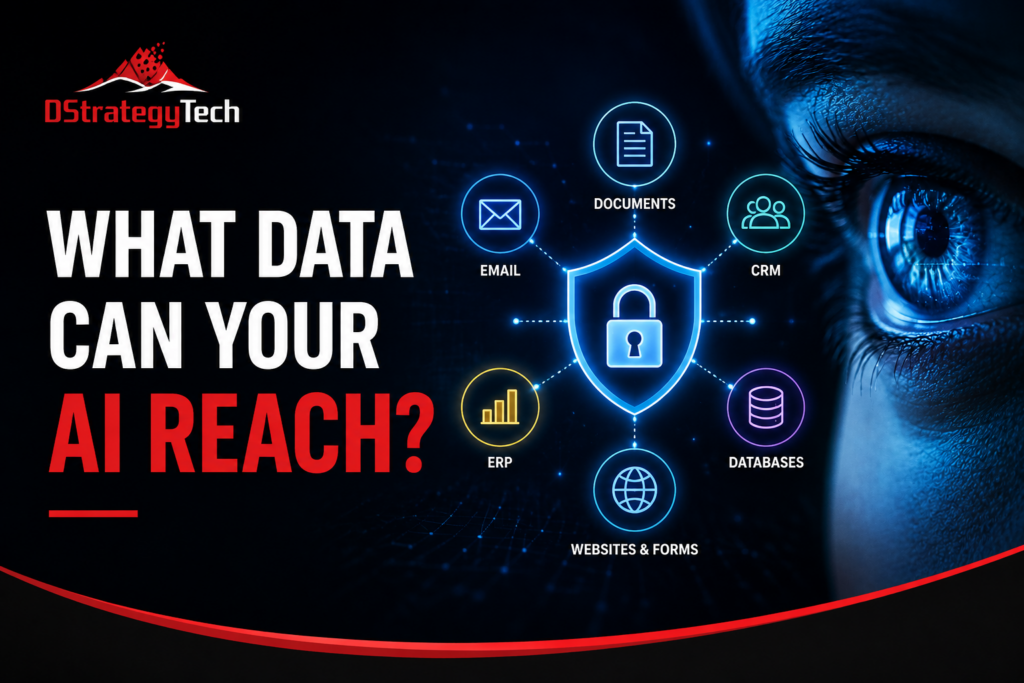
Cybersecurity and Data Audit: Protecting the Data AI Can Reach

AI adoption is changing a fundamental cybersecurity question. It is no longer enough to ask who can access your business data. Organizations also need to ask:

What data can our AI tools reach?

For small and mid-sized businesses, that data may be spread across Microsoft 365, Dynamics 365, ERP and CRM platforms, websites, databases, cloud storage, email, documents, and third-party applications.

As AI becomes connected to these systems, understanding its reach should become part of the organization’s cybersecurity and data audit.

Start With the Data, Not the AI Tool

Before evaluating AI security, identify where important business data resides.

For a Microsoft-centered organization, this could include:

  • Microsoft 365: Outlook email, Teams conversations, SharePoint sites and OneDrive files
  • Dynamics 365 CRM: customers, contacts, opportunities, activities and sales history
  • ERP systems: financial records, vendors, purchasing, inventory, orders and employee-related information
  • Websites: contact forms, customer inquiries, analytics and uploaded information
  • Databases and data platforms: SQL databases, Microsoft Fabric, Power BI datasets and data warehouses
  • Other SaaS applications: ticketing, HR, marketing, accounting and industry-specific platforms

The objective is not simply to create another inventory. It is to understand which systems contain sensitive or business-critical information and how AI could interact with them.

One distinction matters here. Data held in an on-premises ERP environment, such as Dynamics NAV or AX, may sit outside the organization’s primary Microsoft 365 governance boundary. Before exposing that data to AI, organizations should understand how identity, classification, access controls and monitoring extend to those systems.

Map What AI Can Reach

An AI assistant may appear to be a simple chat interface while operating through connectors, APIs, plugins, agents, identities and user permissions.

For example, an AI system connected to Microsoft 365 could potentially retrieve documents from SharePoint or OneDrive. An agent connected to Dynamics 365 could interact with customer records. An AI workflow connected to an ERP system could potentially process financial or operational information.

That creates an important audit question:

Does the AI have access only to the information required for its business purpose, or can it reach significantly more?

Organizations should map each AI tool or agent to the systems, identities, connectors and data sources it can access.

Identity, Permissions, Data, AI Access

AI can amplify weaknesses that already exist.

A SharePoint site with overly broad permissions, an old user account with unnecessary access, or an ERP integration using excessive privileges may become more significant when AI can discover and process information across systems quickly.

A cybersecurity and data audit should therefore follow that sequence in order: identity, then permissions, then data, then AI access. Each layer determines what the next one can reach.

Look for excessive privileges, stale accounts, unnecessary connectors, public links, sensitive information in inappropriate locations, and AI applications with broader access than their purpose requires.

Protect, Monitor and Reassess

The audit should not end when an AI application is deployed.

Organizations should monitor authentication, connector activity, unusual data access, permission changes and sensitive-data interactions. Existing capabilities such as Microsoft Entra ID, Purview, Defender, audit logs and data-loss-prevention controls can contribute to that visibility.

The environment should also be reassessed when a new AI agent, connector, data source or business process is introduced.

The Bottom Line

AI does not eliminate traditional cybersecurity and data-governance principles. It makes understanding data access more important.

For small and mid-sized businesses, the starting point can be straightforward: know where your important data lives, understand what your AI can reach, restrict access to what it actually needs, and monitor that access over time.

The reach your AI tools have today is determined by the identities, permissions, connectors and systems behind them. Understanding that reach is where the work begins.

Next Step

A cybersecurity and data assessment identifies where sensitive information resides across your systems, what your current AI tools and connectors can access, and which controls to establish before AI usage expands further.

Contact DStrategyTech to discuss your environment.

AI Readiness for SMBs: What to Evaluate Before Buying an AI Tool

Most small and mid-sized businesses begin their AI discussion with a product. A team sees a competitor announce something, or a vendor demonstrates a capability, and the conversation moves quickly to which tool to purchase.

This is a reasonable starting point. It is also where many organizations spend budget without seeing a return, because the tool is rarely the constraint.

A more reliable principle applies:

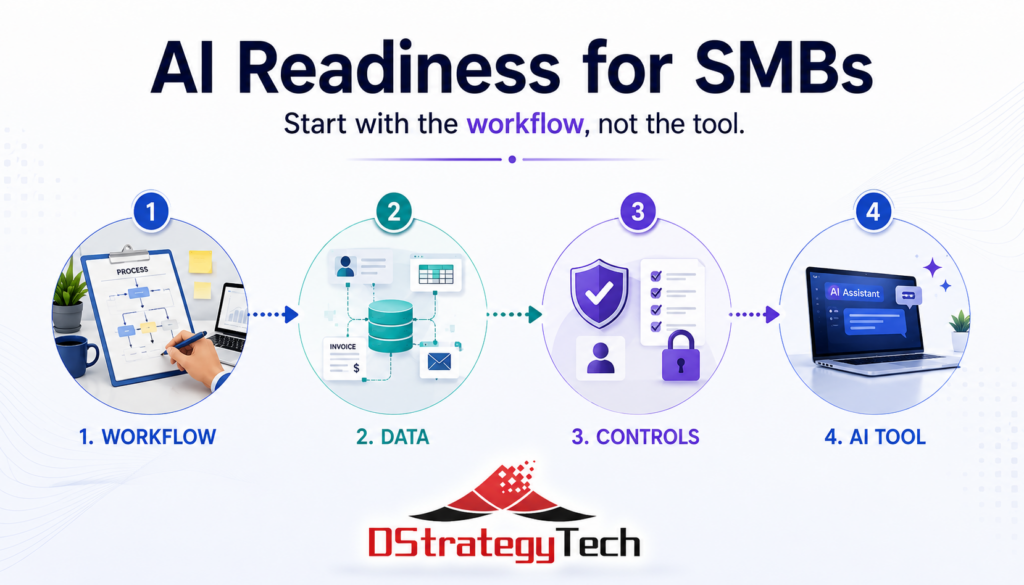
Start with the workflow, not the tool.

Before selecting a platform, three areas are worth evaluating. They cost nothing to assess and generally take an afternoon.

Where AI Adoption Usually Stalls

Across SMB implementations, the same pattern appears. The technology works as described. The business outcome does not materialize.

Common reasons include:

  • the process being automated was never clearly defined
  • information required by the tool sits across disconnected systems
  • output is not reviewed before it reaches customers
  • no baseline exists, so improvement cannot be measured

These are not technology problems. They are readiness problems, and they surface after purchase rather than before.

1. Defining the Work

Effective adoption begins with a specific task, not a general objective.

“We want to improve efficiency” cannot be evaluated. “Our office manager spends six hours each week entering supplier invoices into the accounting system” can be.

The distinction matters more with AI than with previous software categories. A scheduling system imposes structure on a process. An AI system inherits whatever structure already exists. When a process is undefined, the output is fluent, professional, and inconsistent, which takes longer to detect than an obvious error.

Organizations that see measurable results generally complete three steps first:

  • select one task
  • document how it currently works
  • record how long it takes and what it costs

This becomes the baseline for evaluating whether anything improved.

2. Assessing Information Readiness

AI produces results based on the information available to it. When that information is fragmented, the output reflects the fragmentation.

Most SMBs do not need enterprise data infrastructure. They do need clear answers to a few questions:

  • where does core business information reside, including customers, jobs, invoices, and inventory
  • is that information current, or does the accurate version exist elsewhere
  • where is the same information entered manually into more than one system
  • which information is sensitive, regulated, or inappropriate for use with external AI tools

The third question is the most useful. Manual re-entry indicates that two systems are not connected and a person is compensating for the gap. Those points are usually the strongest candidates for automation.

Mapping five core processes and marking each re-entry point produces a practical shortlist without any purchase decision.

For organizations already using Microsoft Dynamics 365 Business Central, much of this structure exists. The evaluation then focuses on where data remains outside the system.

3. Establishing Review and Usage Controls

As AI output moves closer to customers and financial decisions, review becomes necessary.

Two controls address most of the risk:

Human review before release. Any AI-generated customer communication, quote, or summary should be reviewed by a person before it leaves the business. Larger organizations have layers of review that catch errors. Smaller organizations generally do not.

A defined usage policy. Staff need clear guidance on which tools are approved and what information may be entered into them. Customer records, contracts, payroll data, and other sensitive information entered into unapproved AI tools can create privacy, security, and compliance risks the business may not recognize.

A single page covering approved tools, restricted data, and review responsibilities is sufficient for most SMBs at this stage.

Microsoft provides guidance on data protection and governance through Microsoft Purview for organizations operating within the Microsoft ecosystem.

Where the Tool Decision Fits

Once these three areas are assessed, platform selection becomes straightforward.

For most small and mid-sized businesses, the AI capabilities included in existing software will address a meaningful portion of the opportunity. This is generally worth exhausting before adding new tools. A general-purpose assistant for a small group of interested users is inexpensive and produces better information about what is practical than a vendor demonstration.

Custom-built systems have a place. They are rarely the appropriate starting point.

From Self-Assessment to Formal Review

The three checks above provide a practical starting point that any business can complete internally.

A formal readiness assessment goes further, evaluating five dimensions of the organization:

  • strategy and leadership alignment
  • data and systems
  • people and skills
  • process and operations
  • governance, risk, and controls

The output is a current-state view and a sequenced set of next steps. It is platform-neutral by design, since the objective is to establish direction before committing to a technology.

About DStrategyTech

DStrategyTech is a Michigan-based Microsoft Partner working with small and mid-sized businesses on data, automation, and AI adoption. The approach focuses on establishing structure and visibility before introducing new technology.

We also publish Enterprise AI Digest, a weekly summary of developments across the enterprise AI landscape.

Bottom Line

AI adoption in SMBs is less constrained by technology than by preparation.

Organizations that see results generally follow the same sequence:

  • define one process clearly
  • organize the information that process depends on
  • establish review before output reaches customers
  • measure the result, then repeat

Start with the workflow, not the tool. This approach takes longer to begin and considerably less time to produce an outcome.

Next Step

An AI readiness assessment identifies which processes are worth automating, where data and integration gaps need attention, and which controls to establish before selecting a platform.

Contact DStrategyTech to discuss your current state and priorities.

Business Central going beyond QuickBooks with improved reporting, automation, and visibility

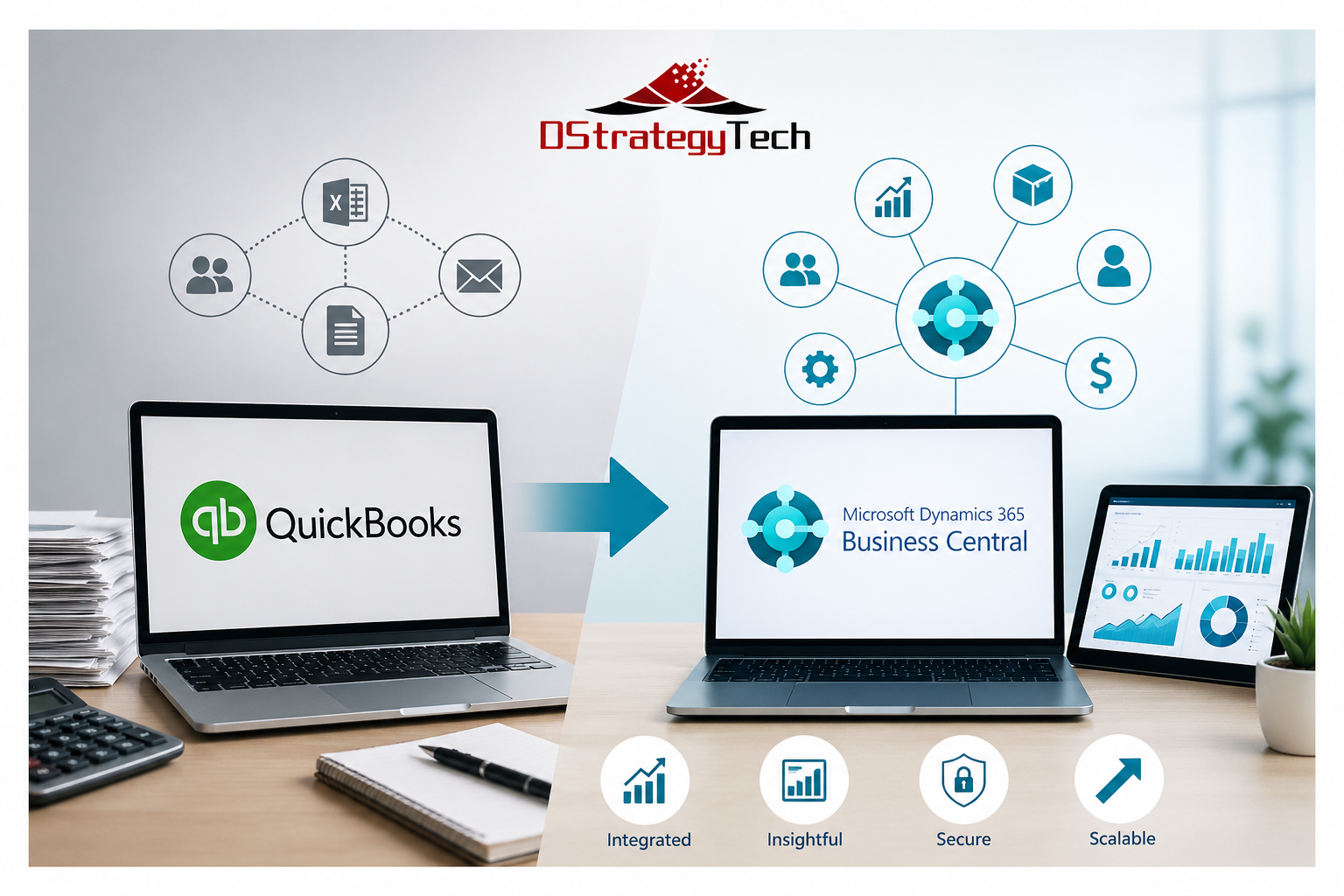
Business Central: Going Beyond QuickBooks

Business Central: Going Beyond QuickBooks

For many small and mid-sized businesses, QuickBooks is where financial management begins. It is simple, familiar, and effective in the early stages of growth. Teams can manage invoices, track expenses, and close books without much complexity.

As the business grows, however, the same simplicity can start to create limitations. More processes are introduced, more data needs to be managed, and more people depend on accurate and timely information. At this stage, many organizations begin to look beyond QuickBooks.

Where QuickBooks Starts to Fall Short

QuickBooks is designed primarily for accounting. As operations expand, new requirements begin to surface. Businesses start managing multiple entities, handling inventory, tracking projects, and introducing approval processes.

To support these needs, teams often rely on spreadsheets and disconnected tools. Data moves between systems instead of staying in one place, which creates delays and inconsistencies.

Over time, this leads to limited visibility, slower reporting cycles, and increased dependency on Excel. The system continues to function, but it no longer supports how the business operates.

A More Connected Foundation with Business Central

Microsoft Dynamics 365 Business Central brings financials and operations together into a single platform. Instead of extending QuickBooks with multiple tools, Business Central connects sales, purchasing, inventory, and finance through a unified data model.

For organizations evaluating the transition, Microsoft provides detailed guidance on moving from QuickBooks to Business Central, including data structure, setup, and considerations. View Microsoft guidance on QuickBooks to Business Central .

This creates a more structured environment where processes are standardized and workflows are built into the system. As a result, businesses reduce manual reconciliation and improve consistency across departments.

Key Capabilities of Business Central

Business Central supports financial management across multiple entities, integrates operational workflows, and provides built-in controls for approvals and compliance. This allows organizations to align their system with how they actually operate.

Improving Reporting and Visibility with Power BI

Even after implementing a new system, many organizations still rely on spreadsheets for reporting. This is where Microsoft Power BI becomes important.

Power BI enables centralized dashboards and real-time reporting. Instead of waiting for reports to be prepared, teams can monitor financial and operational performance as it happens.

Benefits of Power BI Integration

With Power BI, organizations gain consistent metrics, improved visibility across functions, and faster access to insights. This supports better decision-making across leadership and operational teams.

Preparing for AI Requires Structured Data

As businesses begin adopting automation and AI, data quality becomes critical. AI tools rely on structured and consistent data to deliver meaningful results.

Business Central provides a foundation for this by organizing data and standardizing processes. This enables practical use cases such as forecasting, automation, and intelligent recommendations.

Security and Control in a Connected System

As systems become more integrated, security becomes a core requirement. Business Central operates within the Microsoft ecosystem and works with tools such as Microsoft Entra and Microsoft Defender.

This provides identity-based access control, role-based permissions, and data protection. Organizations gain better control over who can access information and how data is used across the system.

What Going Beyond QuickBooks Really Means

Going beyond QuickBooks is not simply about changing systems. It reflects a shift in business needs.

Common indicators include heavy reliance on Excel, fragmented data across systems, slow month-end processes, and limited visibility across teams. At this stage, continuing with workarounds becomes less effective than adopting an integrated platform.

About DStrategyTech

DStrategyTech is a Microsoft partner focused on Business Central, data, and automation. The approach centers on helping organizations improve visibility, streamline operations, and build a scalable foundation using Microsoft technologies.

Final Thoughts

QuickBooks continues to serve an important role for early-stage businesses. However, as operations grow, the need expands beyond accounting.

Business Central provides a more structured and scalable foundation for managing operations, improving visibility, and supporting future capabilities such as automation and AI.

Going beyond QuickBooks is not a technical upgrade. It is a step toward running the business with greater clarity, consistency, and control.

Learn More

If your organization is experiencing these challenges, it may be time to evaluate the next step. Contact DStrategyTech to explore how Business Central, Power BI, and automation can support your business.

Business Central system performance issues with slow reports, integration errors, and system alerts on dashboards

Top D365 Business Central Support Issues SMBs Face

Most SMBs running Microsoft Dynamics 365 Business Central encounter the same recurring support issues. These problems slow operations, frustrate users, and drive up support costs.

Here’s what typically goes wrong — and how to address it before it disrupts your business.

Most of these issues require ongoing monitoring and resolution. Learn more about our Business Central support services and how we help prevent recurring system problems.

1. Slow System Performance

Performance degradation is the most common Business Central support issue. Users report slow page loads, reports that take minutes to generate, and system freezes during peak usage.

Common Causes

  • Database bloat: Years of unarchived transactions slow queries
  • Poorly optimized customizations: Inefficient extensions
  • Concurrent user limits: Too many heavy processes
  • Inadequate infrastructure: On-prem limitations

Resolution

Archive historical data, optimize custom code, and consider moving to cloud infrastructure.

2. Integration Failures

Business Central integrations frequently break or stop syncing data.

Resolution

Implement monitoring, alerts, and regular testing after updates.

3. User Permission Issues

Users either lack access or have excessive permissions.

Resolution

Conduct audits, standardize roles, and automate deprovisioning.

Many of these challenges require continuous monitoring and proactive management. This is where structured Business Central support services make a significant difference.

4. Report Generation Problems

Reports fail, return incorrect data, or run slowly.

5. Month-End Close Delays

Close processes take longer or fail due to manual workflows and validation gaps.

6. Data Import Errors

Imports fail due to format mismatches or missing required fields.

7. Customization Update Conflicts

Updates break custom extensions or introduce errors.

8. Mobile App Gaps

Mobile functionality differs from web experience.

9. Email Failures

Invoices and documents fail to send due to configuration issues.

10. Training Gaps

Users rely on support for tasks they should handle independently.

Proactive Support Approach

  • Monthly health checks
  • Sandbox testing
  • Documentation
  • User training
  • Monitoring and alerts

When to Escalate to Partner Support

  • Persistent performance issues
  • Integration failures
  • Custom code problems
  • Security concerns

Bottom Line

Most Business Central issues come from lack of proactive maintenance, poor training, and weak monitoring.

Need help reducing Business Central support issues?

DStrategyTech provides structured, ongoing support focused on performance, reliability, and continuous improvement.

Explore our Business Central support services to see how we help organizations reduce issues and improve system performance.

Get a Business Central health check →

Business Central security best practices guide showing digital lock icon with ERP dashboard interface and security shields on dark blue background

Business Central Security Best Practices Guide


Introduction

Microsoft Dynamics 365 Business Central is more than just an ERP system—it serves as the financial and operational backbone of your business. This centralized platform manages your most critical business functions: financial transactions, vendor payments, customer data, and inventory and operational processes.

Because of this centralization, security cannot be treated as optional. It is foundational to protecting your business operations and maintaining data integrity.

This guide provides practical, actionable steps that small and medium-sized businesses (SMBs) should take to secure Business Central effectively, without unnecessary complexity or over-engineering.


Why Security Matters in Business Central

The majority of security issues in Business Central do not originate from sophisticated external hackers. Instead, they stem from internal vulnerabilities and operational weaknesses.

Common sources of security risk include:

  • Excessive user access – Users granted more permissions than necessary for their roles
  • Weak identity controls – Inadequate authentication and authorization mechanisms
  • Manual processes outside the system – Critical workflows conducted via email or spreadsheets
  • Lack of monitoring – No visibility into user activity or system changes

The consequences extend beyond data breaches. Security failures can result in incorrect financial data, unauthorized transactions, and significant financial exposure that impacts business operations and regulatory compliance.


Core Principle

Security in Business Central follows an identity-first approach. Everything begins with three fundamental questions:

  • Who can access the system?
  • What they can see within the system?
  • What they can do once they have access?

Answering these questions correctly forms the foundation of a secure Business Central environment.


1. Identity and Access Management (Microsoft Entra ID)

Business Central relies on Microsoft Entra ID (formerly Azure AD) for identity and access management. This integration means your identity security directly determines your overall system security.

Best Practices:

  • Enforce Multi-Factor Authentication (MFA) for all users without exception
  • Implement Conditional Access policies to add context-aware security layers:
    • Block sign-ins from risky locations or unrecognized devices
    • Restrict access based on geographic location
    • Require additional verification for sensitive operations
  • Disable legacy authentication protocols that bypass modern security controls

Bottom line: If your identity layer is weak, every other security measure becomes ineffective. Strong identity management is non-negotiable.


2. Role-Based Access Control (RBAC)

Avoid the temptation to grant broad access permissions simply to expedite user setup or resolve access issues quickly. This creates long-term security vulnerabilities.

Best Practices:

  • Assign users to predefined roles rather than granting permissions directly
  • Apply the principle of least privilege:
    • Finance users receive access only to financial modules
    • Operations users access only operational data
    • Sales teams see customer and order information exclusively
  • Conduct regular permission reviews to identify and remove unnecessary access
  • Document role definitions to maintain consistency across the organization

Example Role Structure:

RoleAccess Granted
AccountantGeneral Ledger, Accounts Payable, Accounts Receivable
Sales RepresentativeCustomer records, Sales Orders
Warehouse ManagerInventory and Warehouse operations only

Critical mistake to avoid: Never give users “SUPER” access unless absolutely required for system administration. This role bypasses all security controls.


3. Segregation of Duties (SoD)

One of the most significant financial risks occurs when a single user controls an entire business process from beginning to end. This creates opportunities for fraud and errors that go undetected.

Example of problematic access:

A single user who can:

  • Create new vendors in the system
  • Enter invoices for those vendors
  • Approve payments to those vendors

This consolidation of duties creates an environment where fraudulent transactions can occur without detection.

Best Practices:

  • Separate critical tasks across different users:
    • Vendor creation should be separate from payment approval
    • Invoice entry should be separate from payment processing
    • Financial reporting should be independent from transaction entry
  • Implement approval workflows for all financial transactions
  • Document separation policies clearly and communicate them to all stakeholders

This approach is not just about security—it is essential for audit readiness and regulatory compliance.


4. Approval Workflows

Business Central includes native approval workflow capabilities that provide built-in oversight for critical business processes.

Best Practices:

  • Require approvals for high-risk operations:
    • New vendor creation or changes to existing vendor records
    • All payment transactions
    • Purchase orders exceeding defined dollar thresholds
  • Implement multi-level approval hierarchies for high-value transactions
  • Configure automatic notifications to ensure approvals are not delayed
  • Set clear escalation procedures for overdue approvals

Outcome: These workflows ensure that no critical financial action happens without appropriate oversight and documented approval trails.


5. Data Protection and Environment Security

Business Central operates in Microsoft’s Azure cloud infrastructure, which provides enterprise-grade security. However, you still need to configure and manage security appropriately.

Best Practices:

  • Leverage Microsoft-managed cloud security features provided by Azure
  • Ensure comprehensive data encryption:
    • Data at rest (stored data)
    • Data in transit (data moving between systems)
  • Restrict access to different environments:
    • Maintain strict separation between Production and Sandbox environments
    • Limit production access to authorized personnel only
    • Use sandbox environments for testing and training

Additional Controls:

  • Limit which users can export large volumes of data
  • Monitor and alert on unusual data download patterns
  • Implement data loss prevention policies where appropriate

6. Audit Trails and Logging

When security incidents or data discrepancies occur, you need clear visibility into what happened, when it happened, and who was responsible.

Best Practices:

  • Enable the Change Log feature in Business Central:
    • Track all changes to critical fields (vendors, customers, general ledger accounts)
    • Record who made each change and when
    • Capture both the old and new values
  • Monitor user activity patterns for unusual behavior
  • Retain audit logs according to your regulatory requirements and internal policies
  • Review logs regularly, not just when problems occur

Fundamental principle: If you cannot trace an action back to a specific user and time, you cannot trust the integrity of that data.


7. Backup and Recovery Strategy

While Microsoft provides platform-level backups for Business Central as part of the cloud service, organizations still need a comprehensive recovery strategy.

Best Practices:

  • Understand Microsoft’s backup policies:
    • Backup frequency (typically daily)
    • Retention periods for different backup types
    • Your responsibilities versus Microsoft’s
  • Test restore scenarios periodically to verify backups work as expected
  • Define a documented recovery plan that includes:
    • Clear assignment of responsibilities (who does what)
    • Recovery Time Objectives (RTO) – how fast systems must be restored
    • Recovery Point Objectives (RPO) – acceptable data loss timeframes
    • Communication protocols during recovery operations

Regular testing is essential. An untested backup is just a hope, not a plan.


8. Integration and API Security

Business Central rarely operates in isolation. It typically connects with other business systems to share data and streamline processes.

Common integrations include:

  • Microsoft Power Platform (Power Apps, Power Automate)
  • CRM systems (Dynamics 365 Sales, Salesforce)
  • E-commerce platforms
  • Banking and payment systems
  • Third-party applications

Best Practices:

  • Use secure, authenticated APIs exclusively for all integrations
  • Never hardcode credentials in integration code or configuration files
  • Apply least privilege to integration service accounts—grant only necessary permissions
  • Monitor data flows between systems for anomalies or unauthorized access
  • Document all integrations including data flows, security controls, and responsible parties
  • Review third-party application permissions regularly

Remember: External integrations can become the weakest link in your security chain if not properly managed.


9. Power Platform and Automation Security

If your organization uses Power Automate flows or Power Apps connected to Business Central, these automation tools require their own security considerations.

Best Practices:

  • Control who can create flows and apps through governance policies
  • Use dedicated service accounts for automation rather than personal user accounts
  • Apply the principle of least privilege to service accounts
  • Avoid exposing sensitive data in flow outputs or app displays
  • Audit automation regularly:
    • Review all active flows and apps
    • Identify owners and business purposes
    • Disable or remove unused automation
  • Implement approval processes for deploying production automation

Uncontrolled automation can bypass business rules and create security vulnerabilities.


10. User Training and Awareness

The majority of security failures have human causes rather than technical ones. Technology can only protect your business when users understand and follow security best practices.

Best Practices:

  • Conduct regular security training covering:
    • Phishing awareness and how to identify suspicious emails
    • Proper data handling procedures
    • Appropriate system usage and prohibited activities
    • How to report security concerns
  • Reinforce critical behaviors:
    • “Do not bypass Business Central by conducting business through Excel files and email”
    • “Do not share your credentials with anyone, including IT support”
    • “Report suspicious activity immediately”
  • Make security part of onboarding for all new employees
  • Provide role-specific training that addresses the unique risks each role faces

Creating a security-conscious culture is as important as implementing technical controls.


11. Regular Security Reviews

Security is not a one-time project—it requires ongoing attention and adjustment as your business evolves.

Monthly/Quarterly Security Checks:

  • Review user access rights:
    • Remove access for departed employees immediately
    • Adjust permissions for employees who change roles
    • Identify and investigate accounts with excessive permissions
  • Remove inactive users who no longer need system access
  • Validate role assignments to ensure they still match current job responsibilities
  • Analyze audit logs for unusual patterns or suspicious activity
  • Review integration health and security settings
  • Test key security controls to verify they function as intended

Regular reviews catch security drift before it becomes a serious vulnerability.


12. Align with Microsoft Security Stack

Business Central becomes significantly more secure when integrated with Microsoft’s broader security ecosystem. These tools provide layered defense and enhanced visibility.

Recommended integrations:

  • Microsoft Defender – Provides advanced threat protection across endpoints and cloud services
  • Microsoft Sentinel – Delivers security information and event management (SIEM) with automated monitoring and alerts
  • Microsoft Purview – Enables data classification, compliance monitoring, and data governance

When these tools work together, they create a comprehensive security posture that is greater than the sum of its parts.


Common Mistakes to Avoid

1. Giving Everyone Full Access

Granting broad permissions may seem convenient in the short term and can reduce support requests, but it creates substantial long-term security risks and compliance issues.

2. Ignoring Multi-Factor Authentication

MFA is the single most effective security control you can implement. It prevents the vast majority of account compromise attacks. There is no excuse for not enabling it.

3. Operating Without Approval Processes

Lack of approval workflows leads directly to financial risk and creates audit findings during compliance reviews.

4. Overlooking Integration Security

External applications and APIs can become your weakest security link if not properly secured and monitored.

5. Treating Security as IT-Only

Security is a business responsibility that requires involvement from finance, operations, and leadership—not just the IT department.


Expected Outcomes

When these security best practices are properly implemented, organizations should expect to achieve:

  • Reduced risk of unauthorized transactions and fraudulent activity
  • Stronger financial controls that support business integrity
  • Audit-ready processes that simplify compliance reviews
  • Better visibility into system activity and user behavior
  • Greater confidence in data integrity and accuracy
  • Improved operational efficiency through clearly defined processes
  • Enhanced business resilience through proper backup and recovery capabilities

Final Perspective

Effective security in Business Central is not about locking down every function and making the system difficult to use. Instead, it is about establishing three critical elements:

Controlled access + Visibility + Accountability

When these three pillars are properly implemented, Business Central becomes not just secure—but reliable and trustworthy as the foundation of your business operations.

Security done right enables business agility rather than hindering it.


Next Step

If you want to assess your current Business Central security posture and identify areas for improvement:

👉 Contact us: https://dstrategytech.com/contactus/