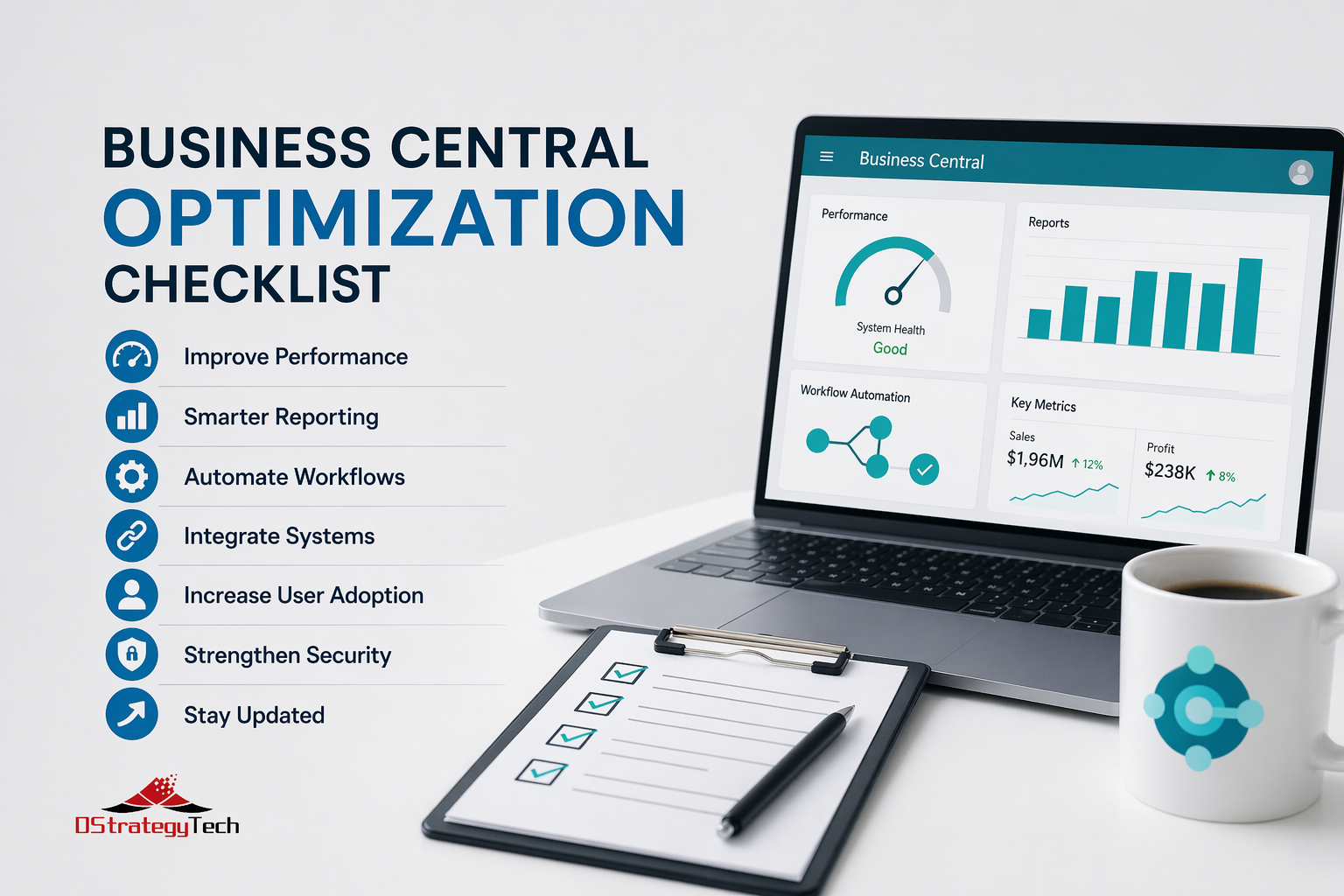
Business Central Optimization Checklist for SMBs
Business Central Optimization Checklist for SMBs
Your Business Central system works — but it doesn’t work well. Reports take forever. Users complain it’s slow. You’re pretty sure you’re not getting full value from the platform.
Here’s the issue: most SMBs implement Business Central, use it for basic financials, and never optimize it. You’re paying for a Ferrari but driving it like a minivan.
This checklist shows you exactly what to fix.
1. Performance: Is Business Central Actually Slow?
Before you blame Microsoft, check these common culprits:
Database Size
If you’re over 50GB without archiving old data, performance suffers. BC slows down when it has to search through years of historical transactions every time someone runs a report.
Quick win: Archive old transactions (orders, invoices older than 3 years). Most SMBs see 20–30% performance improvement immediately.
How to do it: Use BC’s built-in Date Compression or export old data to a separate archive database.
Customizations and Extensions
Heavy customizations or poorly written extensions kill speed. Every custom field, report, or workflow adds processing overhead.
Example: A manufacturing client had 47 custom reports built over 5 years. Removing the 31 reports no one used improved page load times by 40%.
Concurrent Users
Are you hitting user limits during peak times? If 30 users are all running month-end reports simultaneously, BC will crawl.
Fix: Stagger report schedules or upgrade your BC plan to support more concurrent sessions.
Cloud vs. On-Prem
On-prem BC is often slower due to infrastructure limits (aging servers, network latency, insufficient RAM).
Reality check: Cloud BC gets automatic performance updates and scales with demand. On-prem doesn’t.
2. Reporting: Are You Actually Using BC Data?
Most SMBs use Excel exports because BC reports are either:
- Too generic (don’t show what finance actually needs)
- Too slow (take 5+ minutes to generate)
- Not automated (manually run every week)
If your finance team exports data to Excel daily, your BC reporting isn’t optimized.
BC Reporting Optimization Checklist
✅ Build custom Power BI dashboards that pull live BC data
✅ Set up scheduled reports (auto-email weekly AR aging, cash flow)
✅ Use Role Centers properly (CFOs and controllers should have tailored views)
✅ Replace manual Excel exports with automated data refresh
Example: A distribution company replaced 12 weekly Excel exports with 3 Power BI dashboards that refresh automatically. Finance team saves 6 hours/week.
Learn more about Power BI integration with Business Central.
3. Automation: What Are You Still Doing Manually?
BC + Power Platform can automate workflows most SMBs do by hand. If your team is doing repetitive tasks weekly, you’re missing automation opportunities.
Common Automation Wins
| Manual Process | Automated Solution | Time Saved |
|---|---|---|
| AP approval routing | Invoices auto-route based on GL account or amount | 4-6 hrs/week |
| AR collections emails | Auto-send payment reminders based on aging | 3-5 hrs/week |
| Inventory reordering | Auto-create POs when stock hits reorder point | 2-4 hrs/week |
| Month-end close checklist | Power Automate sends reminders and tracks completion | 2-3 hrs/month |
Ask yourself: What tasks does your team repeat weekly that could run automatically?
Explore Power Automate with Business Central for workflow automation ideas.
4. Integrations: Are You Double-Entering Data?
If you’re manually moving data between BC and other systems, you’re wasting time and introducing errors.
Common Integration Gaps
- CRM → BC: Sales orders manually re-entered from Dynamics 365 Sales or Salesforce
- Payroll → BC: Payroll data manually imported each pay period
- Shopify/eCommerce → BC: Orders manually entered into BC
- Banking → BC: Bank transactions manually reconciled
- Shipping → BC: Tracking numbers manually updated from UPS/FedEx
Fix: Use Power Automate, Logic Apps, or pre-built connectors to sync data automatically.
Example: A retail company integrated Shopify with BC using pre-built connectors. Orders now sync automatically, eliminating 15 hours/week of manual data entry.
5. User Adoption: Are People Actually Using BC Correctly?
You’ve invested in Business Central, but if users aren’t using it properly, you’re not getting ROI.
Signs Your Users Aren’t Properly Trained
Warning signs of poor user adoption:
- They’re still using Excel for tasks BC handles (inventory counts, sales tracking)
- They call IT for routine tasks (posting journals, running reports)
- They don’t know keyboard shortcuts or search functionality
- They’re not using workflows or approval routing
- They’re afraid to “break something” so they avoid certain features
Quick fix: Run quarterly BC refresher training. Even 30-minute sessions dramatically improve adoption.
Training topics that work:
- Power user tips (keyboard shortcuts, search, personalization)
- New features from recent BC updates
- Department-specific workflows (finance vs. operations vs. sales)
- Common mistakes and how to avoid them
Reality check: Users trained within the last 6 months are 3x more productive in BC than users who haven’t had training since go-live.
6. Security & Compliance: Are You Leaving the Door Open?
Security isn’t sexy, but it’s critical. Most SMBs set permissions once during implementation and never revisit them.
Security & Compliance Checklist
| Check | What to Review | Frequency |
|---|---|---|
| User Permissions | Are former employees still active? Do users have excessive permissions they don’t need? | Quarterly |
| Audit Logs | Are you tracking who changed what? Critical for SOX compliance and fraud prevention. | Always on |
| Data Retention | Are you purging data per GDPR/privacy regulations? Storing unnecessary PII creates risk. | Annually |
| Backup/DR | Can you restore BC data if something goes wrong? When was the last restore test? | Monthly |
Example: During a routine audit, a client discovered 8 former employees still had active BC accounts with full permissions. One was a terminated AP clerk with access to vendor payment processing.
Review Business Central security and permissions best practices.
7. Upgrades & Maintenance: Are You Running Old Versions?
Microsoft releases BC updates monthly. If you’re more than 6 months behind, you’re missing out.
What You’re Missing by Skipping Updates
- Performance improvements: Microsoft continuously optimizes database queries, page load times, and report generation
- New features: AI-driven insights, improved mobile experience, better Excel integration
- Security patches: Vulnerabilities get fixed monthly — old versions are security risks
- Bug fixes: Known issues get resolved, reducing support tickets
Best practice: Schedule quarterly upgrade reviews with your BC partner. Not every update needs immediate action, but you should know what’s available.
Reality check: Cloud BC handles updates automatically (you just need to test and approve). On-prem BC requires manual upgrades, which is why many companies fall behind.
Stay current with Business Central release plans.
BC Optimization: Before vs. After
| Area | Before Optimization | After Optimization |
|---|---|---|
| Performance | Reports take 5+ minutes, users complain system is slow | Reports run in under 30 seconds, 25% faster page loads |
| Reporting | Finance exports 12 Excel reports weekly (6 hours/week) | 3 Power BI dashboards auto-refresh, save 6 hours/week |
| Automation | Manual AP routing, AR reminders, month-end checklists | Workflows auto-route approvals, send reminders, track close |
| Integrations | Manual data entry from Shopify, Salesforce, payroll | Auto-sync saves 15 hours/week, eliminates errors |
| User Adoption | Users still use Excel, call IT for basic tasks | Quarterly training, users confident and self-sufficient |
Bottom Line
Business Central optimization isn’t a one-time project — it’s ongoing. The best-performing BC environments:
- Archive old data regularly (annual cleanup improves performance)
- Automate repetitive workflows (AP routing, AR collections, inventory reordering)
- Integrate with other systems (eliminate double data entry)
- Train users quarterly (adoption drives ROI)
- Review performance monthly (catch issues before they become problems)
If you’re not doing these things, you’re paying for Business Central but not getting its full value.
Need help optimizing your BC environment? DStrategyTech specializes in Business Central optimization and ongoing improvement — so your system doesn’t just run, it actually works for your business.
Get a free BC optimization assessment →
We’ll review your current setup and show you quick wins that deliver immediate ROI.
Learn more about our Business Central services at DStrategyTech Business Central Services.







Related Posts